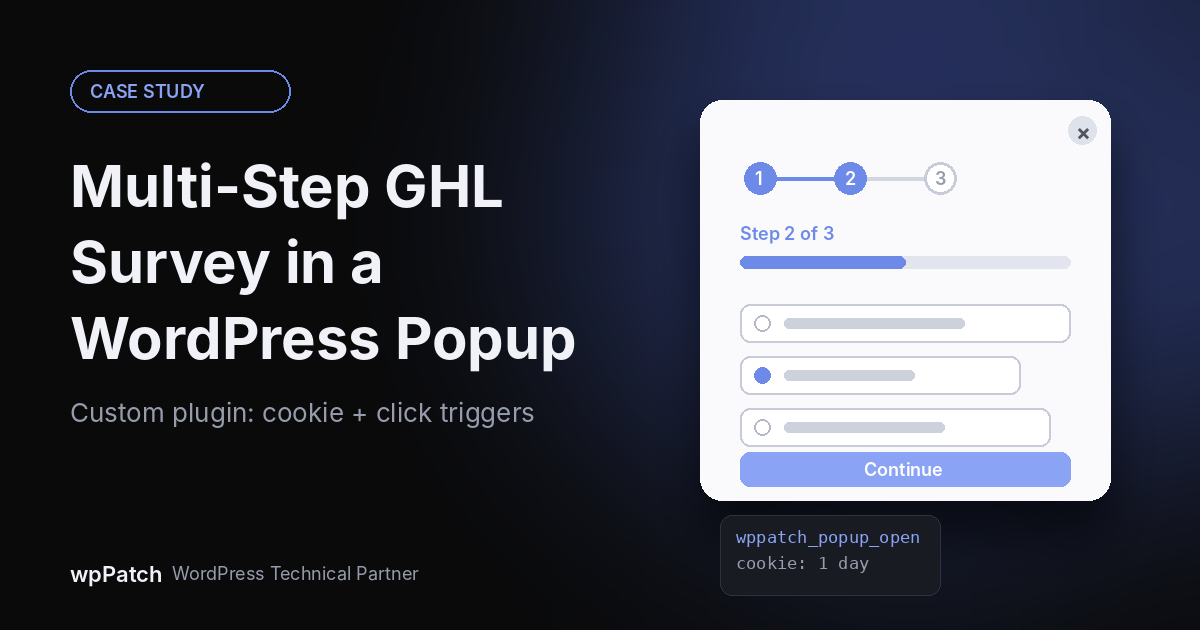
A client asked for a multi-step form inside a popup on their WordPress site. GoHighLevel (GHL) forms are single-step, and a GHL survey, which is multi-step, has no popup behavior on a WordPress site out of the box. I built a small custom plugin that loads the GHL survey inside a Magnific Popup, opens it automatically after 15 seconds, remembers the visitor with a cookie, and lets any button reopen it on demand.
CASE STUDY AT A GLANCE
Client: An industrial mixing equipment manufacturer
Challenge: Show a multi-step GoHighLevel survey inside a popup on a WordPress site
Solution: A custom plugin combining the GHL survey iframe, Magnific Popup and js-cookie
Triggers: Auto-open after 15 seconds, plus a click trigger on any element with one CSS class. A cookie hides the auto popup for 1 day after it is closed
Stack: WordPress, PHP, jQuery, Magnific Popup, js-cookie, GoHighLevel (LeadConnector) surveys
The challenge: a multi-step form inside a popup
The client wanted a lead-qualification flow that opens as a popup on their WordPress site. They wanted it split into short steps instead of one long form, and every submission had to land in their GoHighLevel account.
On paper that sounds like a standard feature. In practice there was a gap between what GHL provides and what a WordPress site needs.
Why GoHighLevel forms and surveys did not fit
GHL gives you two relevant building blocks. Forms are single-step. Surveys support multiple steps, which is what the client needed. But on a WordPress site a survey can only be placed as an iframe embed. There is no built-in way to turn that embed into a popup with its own open, close and repeat-visit rules.
So the real task was not building a form. It was building the popup behavior around a survey that already worked.
Requirements set before writing any code
- Keep the multi-step logic inside GHL, so the client can edit questions without touching code.
- Open automatically after a short delay.
- Do not nag: once a visitor closes the popup, hide it for a day.
- Open on demand from any button or link on the site.
- Prevent accidental closes: clicking the dark overlay must not dismiss a half-finished survey.
- Skip the page that already has the survey embedded.
- Stay lightweight: one popup library, one cookie library, no page builder dependency.
The solution: a lightweight WordPress popup plugin
I built a single-purpose plugin. It prints the GHL survey iframe inside a hidden container in the site footer, then uses Magnific Popup to display that container as a modal. A small script handles the timing and the cookie.
The four parts
- GoHighLevel survey iframe: the multi-step flow itself, still managed inside GHL.
- Magnific Popup (inline type): a lightweight jQuery lightbox that turns a hidden div into a popup.
- js-cookie: stores a one-day “seen” flag when the popup is closed.
- A WordPress plugin wrapper: loads the assets, prints the markup in wp_footer and keeps everything out of the theme.
Magnific Popup and js-cookie ship together in one minified file inside the plugin, so there is no CDN dependency. WordPress already loads jQuery.
How the plugin works, step by step
The code below is a cleaned-up version of the pattern, using wppatch_ prefixes. Replace the survey ID and the skip page ID with your own.
1. Load the popup assets
Register the stylesheet and the bundled script. The script depends on jQuery, and a version constant handles cache busting.
<?php
/**
* Plugin Name: wpPatch Survey Popup
* Description: Multi-step GHL survey in a popup.
* Version: 1.0
* Author: wpPatch
*/
// block direct access
if ( ! defined( 'ABSPATH' ) ) {
exit;
}
// plugin constants
define( 'WPPATCH_POPUP_VER', '1.0' );
define( 'WPPATCH_POPUP_URL', plugin_dir_url( __FILE__ ) );
define( 'WPPATCH_POPUP_SKIP_ID', 123 );
// load css and js
function wppatch_popup_assets() {
wp_enqueue_style(
'wppatch_popup_css',
WPPATCH_POPUP_URL . 'assets/css/wppatch-popup.css',
array(),
WPPATCH_POPUP_VER
);
wp_enqueue_script(
'wppatch_popup_libs',
WPPATCH_POPUP_URL . 'assets/js/wppatch-popup-libs.min.js',
array( 'jquery' ),
WPPATCH_POPUP_VER,
true
);
}
add_action( 'wp_enqueue_scripts', 'wppatch_popup_assets' );
2. Print the survey markup in the footer
Print the survey inside a container with Magnific Popup’s mfp-hide class, so it stays invisible until the popup library opens it. Hooking into wp_footer at priority 9 puts the markup on the page before the behavior script runs. GHL’s embed script resizes the iframe as the visitor moves between steps.
// popup survey markup
function wppatch_popup_markup() {
// skip survey page
if ( is_page( WPPATCH_POPUP_SKIP_ID ) ) {
return;
}
$survey_id = 'YOUR_SURVEY_ID';
$src = 'https://api.leadconnectorhq.com/widget/survey/' . $survey_id;
?>
<div id="wppatch_popup_box" class="wppatch_popup_box mfp-hide">
<div class="wppatch_popup_title">Your popup headline</div>
<iframe
src="<?php echo esc_url( $src ); ?>"
id="<?php echo esc_attr( $survey_id ); ?>"
title="Survey"
style="border:none;width:100%;"
scrolling="no"
></iframe>
<script src="https://link.msgsndr.com/js/form_embed.js"></script>
</div>
<?php
}
add_action( 'wp_footer', 'wppatch_popup_markup', 9 );
3. Open on a timer, remember with a cookie, open on click
Two triggers share one popup. The click trigger binds to any element with the wppatch_popup_open class. The timer opens the popup after 15 seconds, but only if the cookie is not set and no other popup is already open. The cookie is written when the popup closes, so a visitor who closes it will not see it again for a day.
// popup behavior script
function wppatch_popup_script() {
if ( is_page( WPPATCH_POPUP_SKIP_ID ) ) {
return;
}
?>
<script>
jQuery( function( $ ) {
// click trigger
$( '.wppatch_popup_open' ).magnificPopup( {
type: 'inline',
closeOnBgClick: false
} );
// auto open timer
setTimeout( function() {
var seen = Cookies.get( 'wppatch_popup' ) === 'seen';
var missing = ! $( '#wppatch_popup_box' ).length;
if ( $.magnificPopup.instance.isOpen || seen || missing ) {
return;
}
$.magnificPopup.open( {
items: { src: '#wppatch_popup_box', type: 'inline' },
closeOnBgClick: false,
callbacks: {
close: function() {
// remember for 1 day
Cookies.set( 'wppatch_popup', 'seen', { expires: 1 } );
}
}
} );
}, 15000 );
} );
</script>
<?php
}
add_action( 'wp_footer', 'wppatch_popup_script', 20 );
To open the survey from a button, point a link at the container ID and add the trigger class:
<a href="#wppatch_popup_box" class="wppatch_popup_open">Take the survey</a>
4. Style the popup box
Keep the box white and narrow so the survey stays readable. Magnific Popup’s base CSS sits at the top of the same stylesheet, followed by your overrides.
.wppatch_popup_box {
position: relative;
max-width: 700px;
margin: 20px auto;
padding: 35px 15px 15px;
background: #fff;
box-sizing: border-box;
}
.wppatch_popup_title {
font-size: 28px;
line-height: 1.15;
font-weight: 700;
text-align: center;
}
@media (max-width: 480px) {
.wppatch_popup_title {
font-size: 20px;
}
}
Details that matter in production
- Overlay clicks are disabled. With closeOnBgClick set to false, a visitor who misses the box by a few pixels does not lose their answers.
- The cookie is set on close, not on open. It only records visitors who actually saw the popup.
- Click opens ignore the cookie. A visitor can always reopen the survey from a button, even after dismissing the auto popup.
- The survey page is excluded. No popup appears on the page that already shows the same survey inline.
- One container, two triggers. The markup exists once in the page, and both triggers open the same box.
What I changed when documenting this build
- Asset versions use a version constant instead of time(). A timestamp changes the file URL on every request and defeats browser caching.
- Debug logging left over from development was removed.
- Dynamic values are escaped with esc_url() and esc_attr(), even when they are hardcoded today.
- If the client needs to change the survey ID or the delay, move both into a small settings page.
What the client got
- A multi-step survey that opens as a popup, which was the original request.
- Questions that stay editable inside GHL, with no code changes needed.
- A one-day frequency cap instead of a popup on every page view.
- A reusable button trigger for calls to action anywhere on the site.
- Submissions captured directly in their GoHighLevel account.
One small plugin solved a gap that GHL’s embed options do not cover on WordPress. Working with GHL surveys on a WordPress site? Read How I Connected a GoHighLevel Survey to a Live Homepage Counter (No Zapier Needed) next.
Custom plugin or popup builder: which should you use?
Choose a custom plugin when:
- You are embedding a third-party form or survey, such as GHL, that popup builders handle poorly.
- You want the smallest possible footprint on the page.
- You need exact control over trigger and cookie logic.
Choose a popup builder when:
- The form is a native WordPress or Elementor form.
- Non-developers need to edit targeting rules themselves.
- You manage many different popups with complex display conditions.
Frequently asked questions
Can you show a GoHighLevel survey in a WordPress popup?
Yes. GHL provides an iframe embed for surveys. Place it inside a hidden container, then open that container with a popup library such as Magnific Popup. That is the approach used in this case study.
Why use a GHL survey instead of a GHL form?
Surveys support multiple steps and forms are single-step. If you need a multi-step flow that still submits into GoHighLevel, a survey is the right object.
How do you stop the popup from showing on every page load?
Set a cookie when the popup closes and check it before auto-opening. In this build the cookie is called wppatch_popup and expires after one day.
Can visitors still open the popup manually?
Yes. Any link or button with the wppatch_popup_open class and an href pointing to #wppatch_popup_box opens the popup, with or without the cookie.
Does this need a popup builder plugin?
No. The plugin bundles Magnific Popup and js-cookie in a single file, and WordPress already ships jQuery.
Can wpPatch build something similar for my site?
Yes. Custom plugins and CRM integrations with GoHighLevel, Ontraport, Keap and Zapier are part of wpPatch’s Connect work. Send a project inquiry through the contact form.
Need a CRM form or popup built into WordPress?
wpPatch builds custom WordPress plugins and CRM integrations for GoHighLevel, Ontraport, Keap and Zapier. Tell us what you need through the contact form.
Send a project inquiry