A client came to me with a simple-sounding request. He had a survey in GoHighLevel, and he wanted a counter on his homepage tied to it.
Every time someone submitted the survey, the number on the homepage should go up by one.
That’s it. No dashboard, no reporting. Just a number on the page that moves when real people fill out the form.
Why this isn’t a one-click feature
The homepage was a GHL page, built with custom HTML. The survey was also in GHL. So everything lived in one platform, which made me think this should be easy.
It’s not a checkbox, though. As far as I know, GHL doesn’t have a built-in “show survey submissions as a live number” element. Surveys collect responses. Pages display content. Nothing connects the two by default.
The usual instinct is to reach for outside tools: a Zapier zap, a Google Sheet, a webhook. All of that works, but it adds moving parts, more logins, and more places for things to break. I didn’t think this needed any of it.
The approach: three pieces, all inside GHL
The solution is three small parts working together.
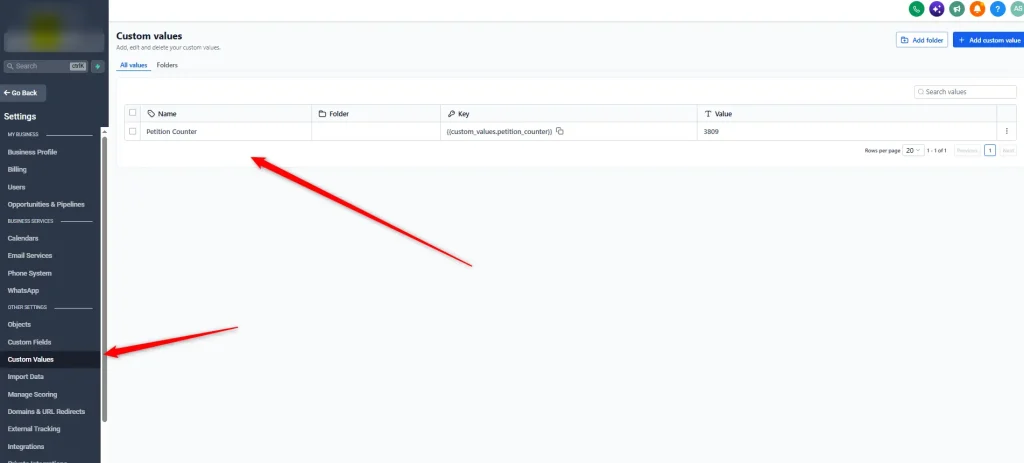
1. A Custom Value to store the running total
GHL lets you create Custom Values at the account level. They’re reusable bits of data you can reference across pages, emails, and workflows. I created one to hold the current count.
This is not a contact custom field. It isn’t tied to any one person. It’s a single number that belongs to the account, which is exactly what a homepage counter needs.
2. A merge field in the homepage HTML
The counter on the homepage was custom HTML. Instead of a hardcoded number, I swapped in the merge field for that Custom Value. Now the page doesn’t “know” the count. It just asks GHL for the current value each time it loads.
{{custom_values.petition_counter}}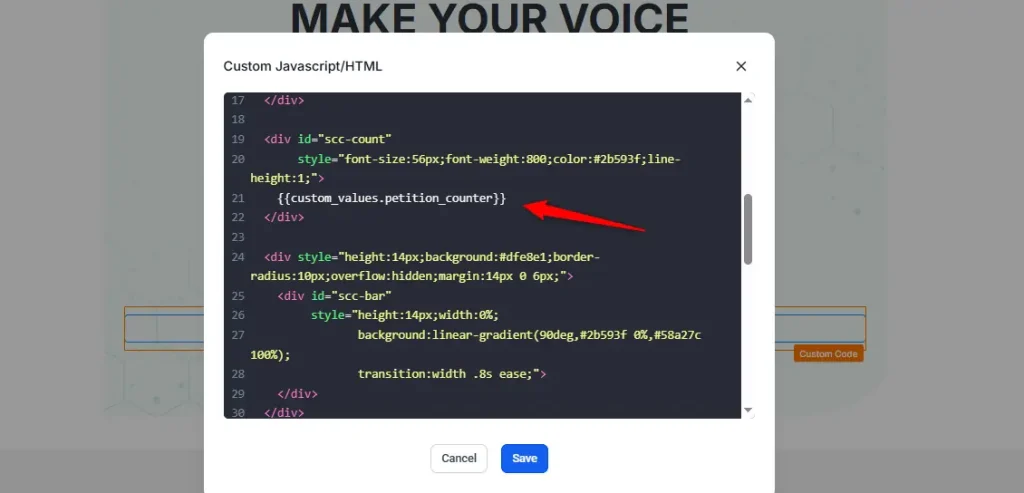
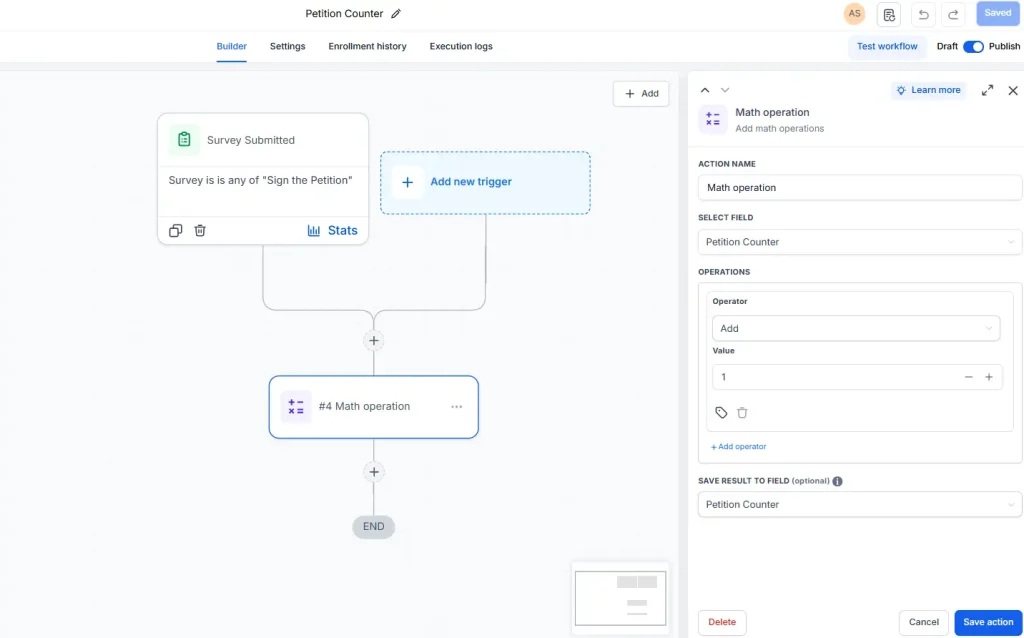
3. A workflow that adds 1 on every submission
This is the part that makes it move. I built a workflow with a trigger on survey submission. When someone completes the survey, the workflow fires.
The action inside is a math operation. It takes the current Custom Value, adds 1, and writes the result back to the same Custom Value.
The full flow
Survey submitted → workflow triggers → math adds 1 → Custom Value updates → homepage shows the new number on its next load.
No middle layer. No sync to wait on.
Why native GHL was the right call
I could have built this with Zapier, Make, or a Google Sheet and a webhook. I didn’t, for a few reasons.
Fewer failure points. The survey, the number, and the page all live in one system. If something goes wrong, there’s one place to look.
Nothing extra to pay for or maintain. No additional subscriptions, no API keys to rotate, no third-party outage that quietly stops your counter.
The client can understand it. Anyone who knows their way around GHL can open the workflow, see the math step, and know exactly what’s happening. That matters when you’re not the one maintaining it a year from now.
It was enough. The request was “add 1 when someone submits.” That’s a small job. A small, native setup fits it better than a chain of tools.
What the client gets
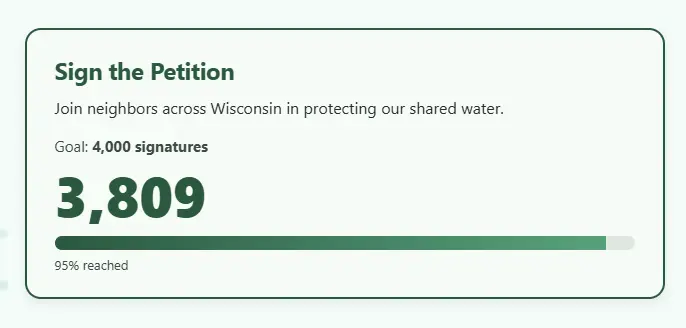
• A homepage counter that updates by itself when the survey is submitted
• No manual editing of the page
• A setup that lives entirely inside his existing GHL account
• A workflow simple enough to read at a glance
When this pattern is useful
The same idea works anywhere you want a running total on a GHL page:
• Event registrations (“X people have signed up”)
• Applications received
• “X people have joined” social proof on a funnel page
Swap the trigger, keep the Custom Value, merge field, and math step.
Need something like this?
If you’ve got a GoHighLevel setup that’s almost doing what you want, or you’re not sure whether it needs outside tools, I’m happy to take a look. Sometimes the answer is simpler than expected.